


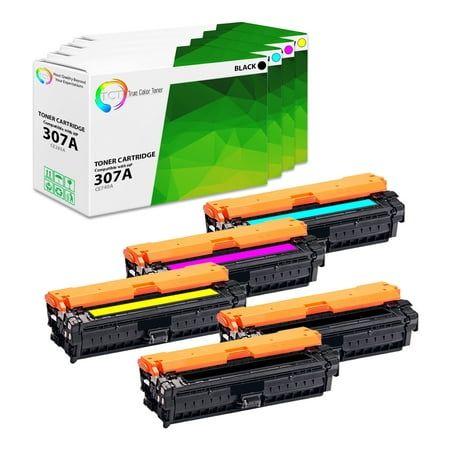
Printing quality depends on more than ink or toner. Many users face faded pages, streaks, or unclear text even after replacing cartridges. The real cause often sits deeper inside the printer. That is where the drum unit and imaging unit play a critical role.
If you run a business, manage office equipment, or print at home, you need to understand how these components work. You also need to know when to replace them and where to get reliable parts in Canada.
Understanding the Core Components Inside Your Printer
A laser printer works through a precise process. The drum unit and imaging unit are central to this process.
A drum unit transfers toner onto paper. It uses electrostatic charge to attract toner particles and form the image.
An imaging unit often combines the drum with other elements, like developer units. In many modern printers, this unit handles image formation before printing.
Different brands design these parts differently. For example:
- Brother printers often separate toner and drum units
- HP and Canon often combine them into one cartridge
- Lexmark and Epson use imaging units with longer life cycles
This design difference impacts cost, maintenance, and replacement frequency.
Why These Units Matter for Print Quality
You may replace the toner and still see poor results. That usually means the drum or imaging unit has worn out.
Common signs include:
- Repeated marks or lines on pages
- Faded or uneven text
- Shadow images or ghosting
- Spots that appear in the same place on every page
A worn drum loses its ability to hold a charge. That leads to uneven toner transfer.
In Canada, offices print thousands of pages monthly. A neglected drum unit leads to wasted paper, poor output, and higher costs.
Drum Unit vs Imaging Unit Key Differences
You need to know the difference to avoid buying the wrong part.
Drum Unit:
- Works with a toner cartridge
- Needs replacement after 10000 to 50000 pages, depending on the model
- Common in Brother printers
Imaging Unit:
- Often includes drum and developer
- Handles the full image transfer process
- Lasts longer, often 20000 to 100000 pages
Choosing the right unit improves printer life and reduces service issues.
Real Example from Daily Office Use
Consider a small business in Toronto printing invoices daily.
They replace toner every month. After three months, print quality drops. They assume the toner is faulty and replace it again. The issue remains.
The real problem is the drum unit reaching its limit.
After replacing the drum, the prints return to sharp quality.
This scenario is common across offices in Canada.
How to Check If Your Drum or Imaging Unit Needs Replacement
You do not need technical skills. Follow these simple checks:
- Print a test page from printer settings
- Look for repeating marks at equal intervals
- Check the printer display for the drum warning
- Review page count in printer settings
Most printers show a drum life indicator.
Ignoring this leads to poor output and possible damage to other components.
Step-by-Step Replacement Process
You can replace these units without professional help.
Basic steps:
- Turn off the printer
- Open the front cover
- Remove the toner cartridge carefully
- Take out the drum or imaging unit
- Insert the new unit
- Reinstall the toner cartridge
- Close the cover and reset the drum counter
Each printer model has slight differences. Always follow model-specific instructions.
Cost Factors in Canada
Pricing varies based on brand and type.
Typical price range:
- Drum units cost between 50 and 200 CAD
- Imaging units range from 100 to 400 CAD
Original parts cost more but offer reliability. Compatible units cost less and work well when sourced from trusted suppliers.
Choosing a low-quality product leads to frequent replacements and inconsistent prints.
Where to Buy Reliable Drum and Imaging Units in Canada
You need a supplier that offers quality and consistency. One trusted option is Toner Ink Canada.
They provide:
- Compatible and original units
- Wide range for Brother, HP, Canon, Epson, Lexmark
- Fast delivery across Canada
- Cost-effective solutions for businesses
Many Canadian businesses rely on them for a steady supply.
Compatible vs Original Units: What You Should Choose
You have two options when buying.
Original units:
- Made by a printer manufacturer
- High reliability
- Higher cost
Compatible units:
- Made by third-party manufacturers
- Lower price
- Good quality when sourced from trusted sellers
For high-volume printing, compatible units reduce costs significantly.
Example:
A business printing 20000 pages monthly can save up to 40 percent by switching to compatible imaging units.
Maintenance Tips to Extend Unit Life
You can extend the life of your drum or imaging unit with simple practices.
- Keep the printer in a clean environment
- Avoid exposure to direct sunlight
- Use high-quality toner
- Print regularly to avoid toner buildup
- Do not touch the drum surface with your fingers
Proper handling reduces wear and improves performance.
Common Mistakes You Should Avoid
Many users damage their units due to a lack of awareness.
Avoid these mistakes:
- Shaking the drum unit unnecessarily
- Installing incompatible toner
- Ignoring warning messages
- Using low-grade paper
- Opening the unit in bright light for a long time
These actions reduce lifespan and print quality.
Environmental Impact in Canada
Canada promotes eco-friendly practices. Printer components also play a role.
Many suppliers offer recycling programs.
Benefits include:
- Reduced landfill waste
- Lower environmental impact
- Responsible disposal of electronic parts
You should always return used units for recycling.
Choosing the Right Unit for Your Printer
You need to match your printer model exactly.
Check:
- Printer model number
- Manufacturer specifications
- Page yield requirements
Example:
A small home user prints 500 pages monthly. A standard drum unit works fine.
A corporate office printing 30000 pages needs high-yield imaging units.
Matching your usage saves money and avoids frequent replacements.
Industry Use Across Canada
Different sectors rely heavily on printing.
Examples:
- Legal firms print contracts daily
- Schools print study materials
- Hospitals print patient records
- Retail stores print invoices and receipts
In all these sectors, drum and imaging units directly affect productivity.
FAQs
What is the lifespan of a drum unit
Most drum units last between 10000 and 50000 pages. It depends on usage and printer model.
Can I clean a drum unit instead of replacing it?
Cleaning helps in minor cases. It does not restore full performance once worn out.
How do I reset the drum counter?
Most printers have a reset option in settings. Some require manual button combinations.
Is it safe to use compatible imaging units?
Yes, if you buy from a reliable supplier. Poor-quality products cause issues.
Why do I see lines even after replacing the toner
This usually indicates a worn drum or imaging unit.
Do all printers have separate drum units
No. Some combine toner and drum into one cartridge.
Final Thoughts
Print quality depends on more than toner. The drum unit and imaging unit control how your documents appear on paper.
If you ignore these components, you face poor results and higher costs.
Focus on timely replacement, proper maintenance, and reliable suppliers.
For businesses and individuals in Canada, choosing a trusted provider like Toner Ink Canada ensures consistent performance and long-term savings.
Take control of your printing setup. Check your printer today and replace worn units before they affect your work.

 Arabic
 French
 Spanish
 Portuguese
 Deutsch
 Turkish
 Dutch
Dutch
 Italiano
 Russian
 Romaian
 Portuguese (Brazil)
 Greek
Greek